How to avoid mistakes when buying a used smartphone: battery check tips
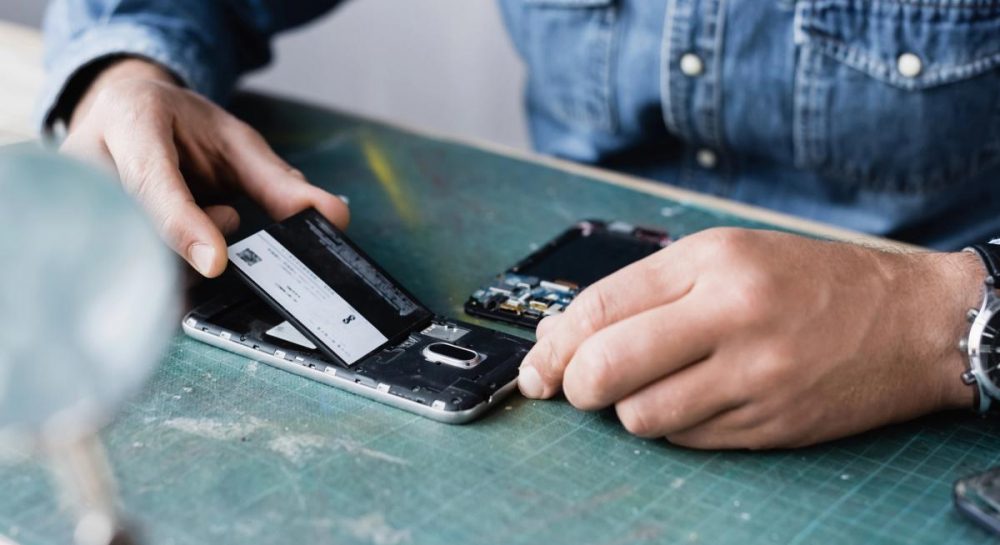
Buying a pre-owned device requires careful attention to the battery health, which is the most vulnerable component of a smartphone.
 🩺Health
Photo: UNIAN
Key points
- Physical inspection for repair signs
- Checking service history in settings
- Risks of non-original batteries
Purchasing a used or refurbished smartphone is a popular way to save money, but it comes with hidden risks. The battery is often the weakest point, directly affecting the device's reliability and performance over time.
Physical inspection tips
Before finalizing a purchase, look beyond the screen and buttons. Check for physical signs that the device has been opened:
- Poor display fitment against the frame.
- Tool marks on the bottom screws.
- Mismatching or damaged screw heads.
These signs may indicate that the original battery has been replaced with a low-quality third-party part, which can lead to overheating, rapid discharge, or unexpected shutdowns.
Using system diagnostics
Modern smartphones from Apple, Samsung, and Google include built-in tools to track service history. In the settings menu, users can often find information about replaced parts. If the system shows a warning about an "unknown part," it is a clear red flag. Always ask the seller for documentation from a service center if they claim the battery has been replaced.
Source UNIAN — unian.ua/techno/gadgets/yak-pereviriti-akumulyator-u-vzhivanomu-tel… ↗
Read next
 👥Society
Combating invasive species: drones used in Hawaii to protect forests
Scientists in Hawaii have deployed drones to distribute insects that help control the spread of the invasive Strawberry Guava.
 🛡️Security
Fire Point reveals technical differences between FP-7 and FP-9 ballistic missiles
The weapon developer Fire Point explained the differences between its ballistic projects, which serve different tactical purposes.
 🛡️Security
Ukraine and Norway to Scale Up Production of DESNA Air Defense Systems
The Ukrainian Ministry of Defense has announced plans to increase the production of DESNA air defense launchers in partnership with Norway.
 🛡️Security
Rare photo of the experimental 'Object 477A1' tank released online
An archival image of the top-secret Ukrainian 'Nota' tank, which began development in the early 1990s, has surfaced on the internet.
 🛡️Security
Court upholds detention for Valentina Molodaya: details of the incident near Kyiv
The Kyiv Court of Appeal rejected the defense's appeal and upheld the detention of a woman suspected of obstructing the activities of the Armed Forces of Ukraine.
 👥Society
How to Bake Perfect Sweet Potatoes: Secrets to a Crispy Crust and Tender Inside
Nutritious and affordable sweet potatoes are becoming increasingly popular in home kitchens. Simple culinary tips will help you bake this root vegetable so it stays juicy…